

NEXT-GENERATION WiFi
Wi-Fi 7 &Vodafone Always Connected
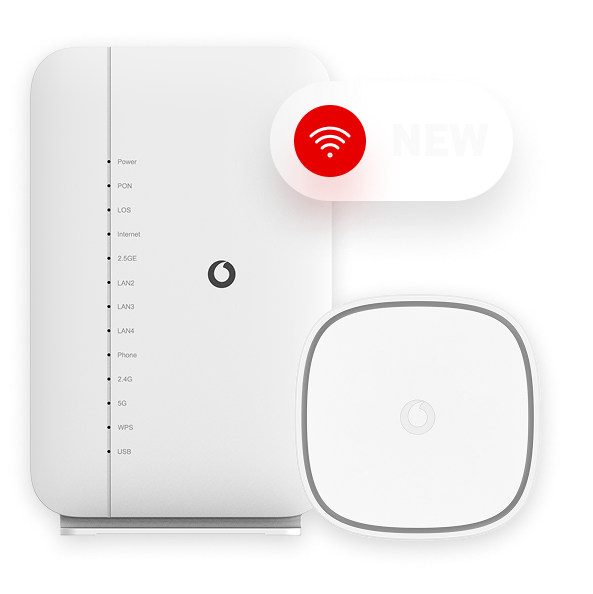
The benefits of WiFi 7

that never lets you down.
Who is Wi-Fi 7 for?
Wi‑Fi 7 and Vodafone Always Connected are designed for anyone who wants greater stability and a better online experience across all their connected devices.
Vodafone always Connected
Wi-Fi 6 vs Wi-Fi 7
Wi-Fi 6 – previous generation

Good experience for everyday online activities
Good performance for gaming, streaming and video calls
Stable connectivity
Good streaming quality
Devices connect to a single Wi‑Fi band at a time and switch between bands as needed.
Wi-Fi 7 - latest technology

Faster Wi‑Fi experience for work, entertainment and online activities
Up to 3x lower latency for faster gaming and smoother video calls
Stable connectivity even when more devices are used at the same time
Higher-quality streaming with less buffering and consistent video quality
Devices can use multiple Wi‑Fi bands simultaneously and switch automatically between them with MLO (Multi‑Link Operation).
Wi-Fi 6 – previous generation
Wi-Fi 7 - latest technology
Good experience for everyday online activities
Faster Wi‑Fi experience for work, entertainment and online activities
Good performance for gaming, streaming and video calls
Up to 3x lower latency for faster gaming and smoother video calls
Stable connectivity
Stable connectivity even when more devices are used at the same time
Good streaming quality
Higher-quality streaming with less buffering and consistent video quality
Devices connect to a single Wi‑Fi band at a time and switch between bands as needed.
Devices can use multiple Wi‑Fi bands simultaneously and switch automatically between them with MLO (Multi‑Link Operation).
your credentials easily

Attention: After changing the password, all devices connected to Wi-Fi will be disconnected and must be reconnected using the new credentials.
Hapi I
Log in to the My Vodafone App and go to “My Products and Services.” Select your fixed service contract, then click on Wi-Fi Credentials.
What is Wi-Fi 7?
What difference will I notice at home?
How does Vodafone Always Connected work?
Who can get Wi-Fi 7?
Does Vodafone Always Connected switch to mobile network automatically?
How does MLO (Multi-Link Operation) improve my Wi‑Fi experience?
Is Wi-Fi 7 good for gaming and video calls?
Is Wi-Fi 7 suitable for smart homes?
Is Wi-Fi 7 secure?